Free Invoice Generator USA | Create Free Invoices Online
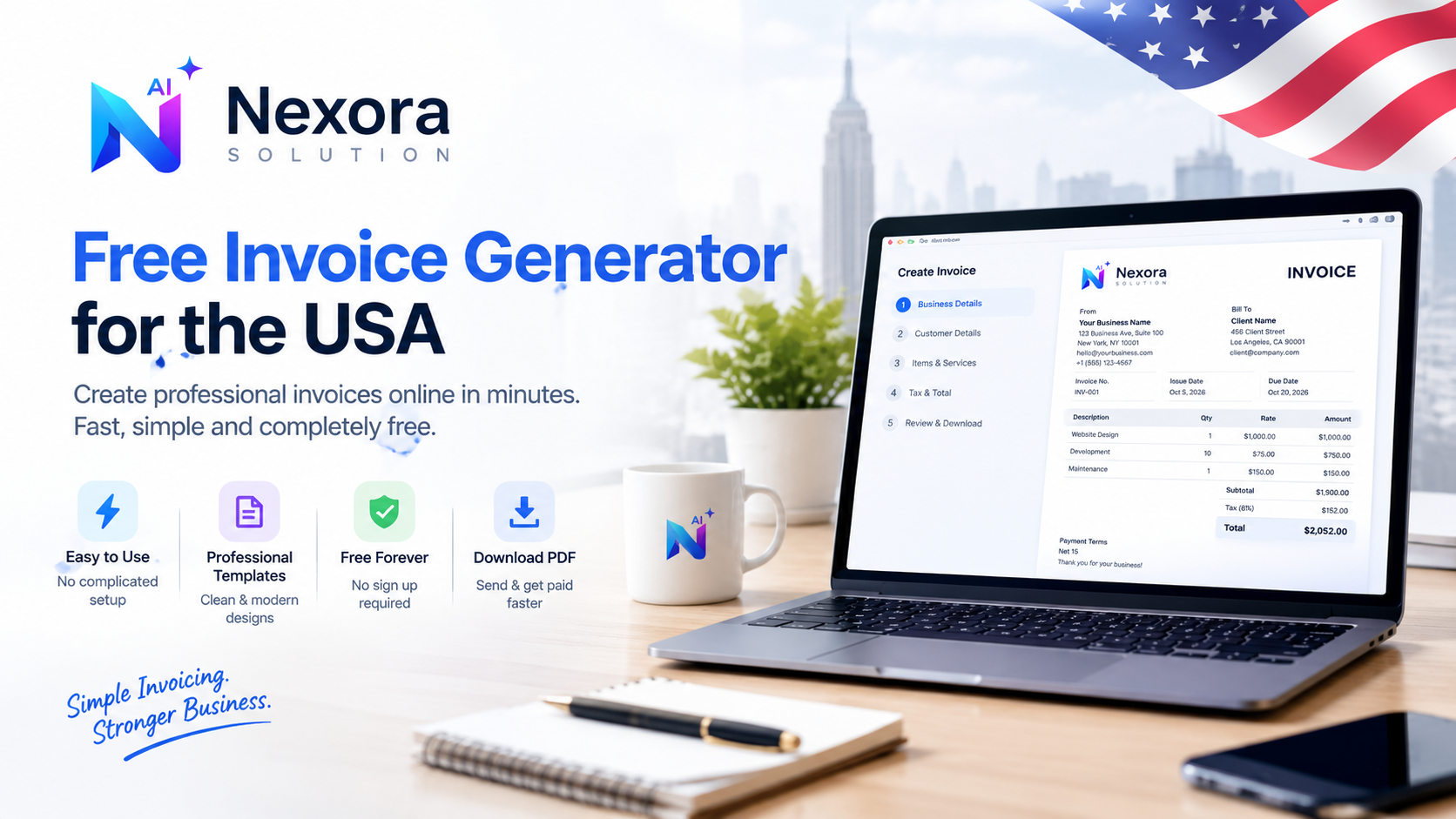
Need to bill a client without complicated accounting software? Learn how a free invoice generator can help US freelancers, contractors and small businesses create professional invoices online and download them as PDF files.
## Free Invoice Generator for the USA: Create a Professional Invoice Online
Getting an invoice out to a client should not take half an hour.
You should not have to open a complicated accounting program, create an account, look through a dozen settings, and then figure out how to turn a simple bill into a PDF.
For a freelancer, contractor, consultant, online seller, or small business owner in the United States, a good invoice can be much simpler than that.
A free invoice generator lets you enter your business details, add the work or products you are charging for, check the total, and download a professional invoice that is ready to send.
The important part is not making the invoice look fancy. It is making sure the details are clear, the amount due is obvious, and the document is easy for both you and your customer to keep.
What Is a Free Invoice Generator?
A free invoice generator is an online tool that creates an invoice from the information you provide.
Instead of designing an invoice from scratch in Word or Excel, you normally enter:
- Your business or name
- Customer information
- Invoice number
- Invoice date
- Products or services
- Quantity and price
- Tax, when applicable
- Total amount
- Due date
- Payment terms or notes
The tool then calculates the totals and creates a finished invoice, often as a PDF.
For someone who invoices only occasionally, this can be much quicker than setting up a full accounting system.
Why Use an Online Invoice Generator in the USA?
There is a big difference between creating an invoice and running an entire accounting system.
A business may need accounting software to manage expenses, bank feeds, payroll, taxes, reports, and other records. But sometimes you simply need to bill a customer for a completed job.
That is where an online invoice maker can be useful.
It can be especially convenient for:
- Freelancers working with several clients
- Independent contractors
- Consultants
- Designers and developers
- Photographers
- Handymen and tradespeople
- Home service businesses
- Small online businesses
- Local service providers
If you only need a clean invoice PDF, using a free invoice builder can save you from adding another subscription to your monthly expenses.
What Should a US Invoice Include?
There is no single invoice layout that works for every business, but a professional invoice should make the transaction easy to understand.
Start with your business information.
1. Your Business Details
Include the name customers know you by and the contact information they may need.
Depending on your business, that can include:
- Business name
- Your name
- Business address
- Email address
- Phone number
- Website
- Business logo
Keep this section clean. The customer should be able to see immediately who sent the invoice.
2. Customer Information
Add the name of the person or company being billed.
For business customers, it is usually helpful to include the company name and billing contact, along with the customer's address or email when appropriate.
3. Invoice Number
Give every invoice a unique number.
You can use a simple sequence such as:
INV-001
INV-002
INV-003
Or use a year-based format such as:
INV-2026-001
A consistent numbering system makes it easier to find individual transactions later.
4. Invoice Date and Due Date
The invoice should clearly show when it was issued and when payment is expected.
For example:
Invoice date: October 5, 2026
Due date: October 20, 2026
You can also include payment terms such as Due on Receipt, Net 15, or Net 30 when those terms match your agreement with the customer.
5. Description of the Work
This part is often overlooked.
Do not simply write:
Services — $1,500
A more useful description would be:
Website development — homepage, contact page and responsive mobile layout
The goal is to make it obvious what the customer is paying for.
6. Quantity, Rate and Amount
For itemized billing, show the quantity and rate where they make sense.
For example:
| Description | Qty | Rate | Amount |
|---|---|---|---|
| Website development | 10 hrs | $75 | $750 |
| Maintenance | 1 | $150 | $150 |
This makes the calculation easier for the customer to check.
7. Tax and Total
Show the subtotal and then any applicable tax or other charges.
Remember that sales tax in the United States is not one nationwide rate. State and local rules can differ, and whether you need to collect tax depends on what you sell, where you sell it, and the applicable rules.
For example, New York requires sales-tax records and invoices/receipts to provide enough detail to determine the taxable status of sales, while Texas has rules about how sales tax is shown on an invoice.
That is why it is better for an invoice generator to let you enter the applicable tax rather than blindly applying one “US tax rate” to every invoice.
Is an Invoice Required for Every US Business?
This is one of those questions where a simple yes or no can be misleading.
Federal tax recordkeeping and state sales-tax rules are not the same thing. The IRS says businesses should maintain supporting documents such as invoices, receipts and sales slips as part of their records.
At the state level, requirements can be more specific. For example, New York requires certain sales-tax records and keeps detailed requirements for invoices and receipts, while Texas requires taxable sellers to maintain records that allow the Comptroller to verify sales and tax reporting.
So the practical approach is simple: create clear invoices, keep copies of your business records, and check the rules that apply to your particular state and type of business.
Free Invoice Generator vs. Word or Excel
You can absolutely create an invoice manually in Microsoft Word or Excel.
The problem is that a blank document starts with you.
You have to think about the layout, formulas, totals, numbering, spacing, and then make sure the final document looks professional.
An online invoice generator handles much of that repetitive work.
A free invoice generator is useful when you want:
Speed: Create an invoice in a few minutes.
Automatic calculations: Reduce mistakes when adding quantities, rates, discounts, and tax.
PDF output: Send a ready-to-use document without worrying about formatting changes.
Consistency: Use the same structure for every customer.
Less admin work: Start from a prepared invoice layout instead of rebuilding one every time.
For a freelancer or small business that sends a few invoices each month, that simplicity can be more valuable than a large accounting dashboard.
How to Create an Invoice Online
Creating an invoice does not need to be complicated.
Step 1: Add your business information
Enter your business name and contact details. Add your logo when you have one.
Step 2: Add the customer's details
Enter the person or company you are billing.
Step 3: Add the invoice number
Use a consistent numbering system so you can find the invoice later.
Step 4: Describe what you are charging for
Add each product or service as a separate line item whenever possible.
Step 5: Add quantities and prices
Enter your rate, quantity, discount, shipping charge, or other applicable amounts.
Step 6: Add applicable tax
Only add tax when it applies to your particular transaction. Sales-tax rules can differ across states and local jurisdictions.
Step 7: Set the due date
Make the payment deadline easy to see.
Step 8: Review the invoice
Before sending it, check the customer name, invoice number, dates, line items and total.
Step 9: Download the PDF
Save the finished invoice and send it to the customer by your normal payment or communication method.
How to Make an Invoice Look Professional
A professional invoice does not need gradients, huge graphics, or a complicated design.
In fact, simpler is usually better.
Use a clear heading, readable fonts, enough white space, consistent alignment and an obvious total.
Your customer should be able to answer these questions within a few seconds:
Who is this invoice from?
What am I being charged for?
How much do I owe?
When is payment due?
If those answers are obvious, the invoice is doing its job.
Invoice Tips for Freelancers in the USA
Freelancers often have a different invoicing routine from traditional businesses.
You might bill by the hour for one client, use a project price for another, and send a monthly retainer invoice to someone else.
That is why your freelance invoice generator should be flexible enough to handle different billing styles.
For hourly work, show hours and your rate.
For fixed-price projects, describe the project or milestone clearly.
For recurring work, make the billing period obvious.
A separate line for each service also makes it easier for your client to understand what they are paying for.
The IRS recognizes invoices and similar documents as supporting business records, so keeping organized copies of your invoices is also useful for recordkeeping.
Invoice Tips for Contractors and Service Businesses
Contractors often need more detail than a typical freelancer.
A construction, plumbing, electrical, HVAC, landscaping, cleaning, or repair invoice may include:
- Labor
- Materials
- Equipment
- Quantity or hours
- Unit price
- Deposits
- Discounts
- Applicable sales tax
- Amount already paid
- Remaining balance
A vague invoice such as “Repair work — $2,500” may be harder for a customer to understand than an itemized invoice showing exactly what was completed.
Clear line items also make it easier to compare the invoice with the original estimate or job details.
Should You Put Your EIN or Tax ID on an Invoice?
Not every invoice needs the same tax information.
An EIN can be useful business identification information, but it should not automatically be treated as a required field for every invoice.
Also remember that documents such as a W-9 serve a different purpose. A W-9 is generally used to provide taxpayer identification information to a payer; it is not simply another section of your invoice.
When tax identification information is relevant to a particular customer or transaction, use the requirements that apply to your business rather than adding sensitive information just because another invoice template contains a field for it.
Keep Copies of Your Invoices
Do not think of an invoice as something you create, email, and immediately forget.
It is part of your business record.
The IRS lists invoices, sales slips, receipts and other documents as supporting documents for business transactions.
Depending on your workflow, you can keep your PDF invoices organized by:
Year → Customer → Invoice
or
Year → Month → Invoice Number
The important thing is being able to find a particular transaction when you need it.
What Makes a Good Free Invoice Generator?
Before choosing an online tool, look for the basics rather than a giant list of features.
A useful free invoice generator should ideally offer:
- Professional invoice layouts
- USD support
- Custom business details
- Customer information
- Itemized products or services
- Automatic totals
- Optional tax fields
- Discounts and additional charges
- Invoice numbers
- Due dates
- Payment terms
- PDF download
- Mobile-friendly access
- No unnecessary sign-up barriers
Privacy is another useful consideration, especially when you are entering customer names, addresses and payment-related information.
Some modern browser-based invoice tools generate documents locally without uploading invoice data to a server. That can be a useful approach for people who prefer a quick, private workflow.
Free Invoice Generator for the USA
For someone who needs a professional invoice without signing up for a full accounting platform, a simple free invoice generator for the USA can be enough.
The best workflow is usually straightforward:
Enter your details → add your customer → list the work → check tax and totals → set the due date → download the PDF.
No complicated setup.
No blank spreadsheet.
No rebuilding the same invoice from scratch.
For freelancers, contractors and small businesses, that can turn one of those small administrative tasks into something you finish in a couple of minutes.
Final Thoughts
Invoicing does not have to become another complicated part of running a small business.
A good invoice is clear, accurate and easy to understand. It tells the customer what they are paying for, how much they owe, and when payment is due. It also gives you a useful business record for your own bookkeeping.
For many US freelancers and small businesses, a free online invoice maker is all they need for straightforward billing.
The important thing is to keep your invoices consistent, itemized and easy to find later—and to check the sales-tax and recordkeeping rules that apply to your own state and business activity.
Create your invoice, download the PDF, send it, and get back to the work that actually pays the bills.
Sources
IRS Publication 583, Starting a Business and Keeping Records.
IRS Publication 4491, supporting documents and business recordkeeping.
New York State Department of Taxation and Finance, sales and recordkeeping requirements.
Texas Comptroller, sales-tax invoice and recordkeeping guidance.
Related Articles
- Free Invoice Generator, Thermal Receipt Generator & Invoice on Letterhead — Nexora Free Business Tools — 1 min read
- How to Create an Invoice Without Accounting Software — Free Invoice Generator for Freelancers — 1 min read
- Free Invoice Generator for Small Businesses in the USA: How to Create a Professional Invoice — 1 min read
- Small Business Software Stack in Pakistan: What to Use First — 1 min read