Free Invoice Generator, Thermal Receipt Generator & Invoice on Letterhead — Nexora Free Business Tools
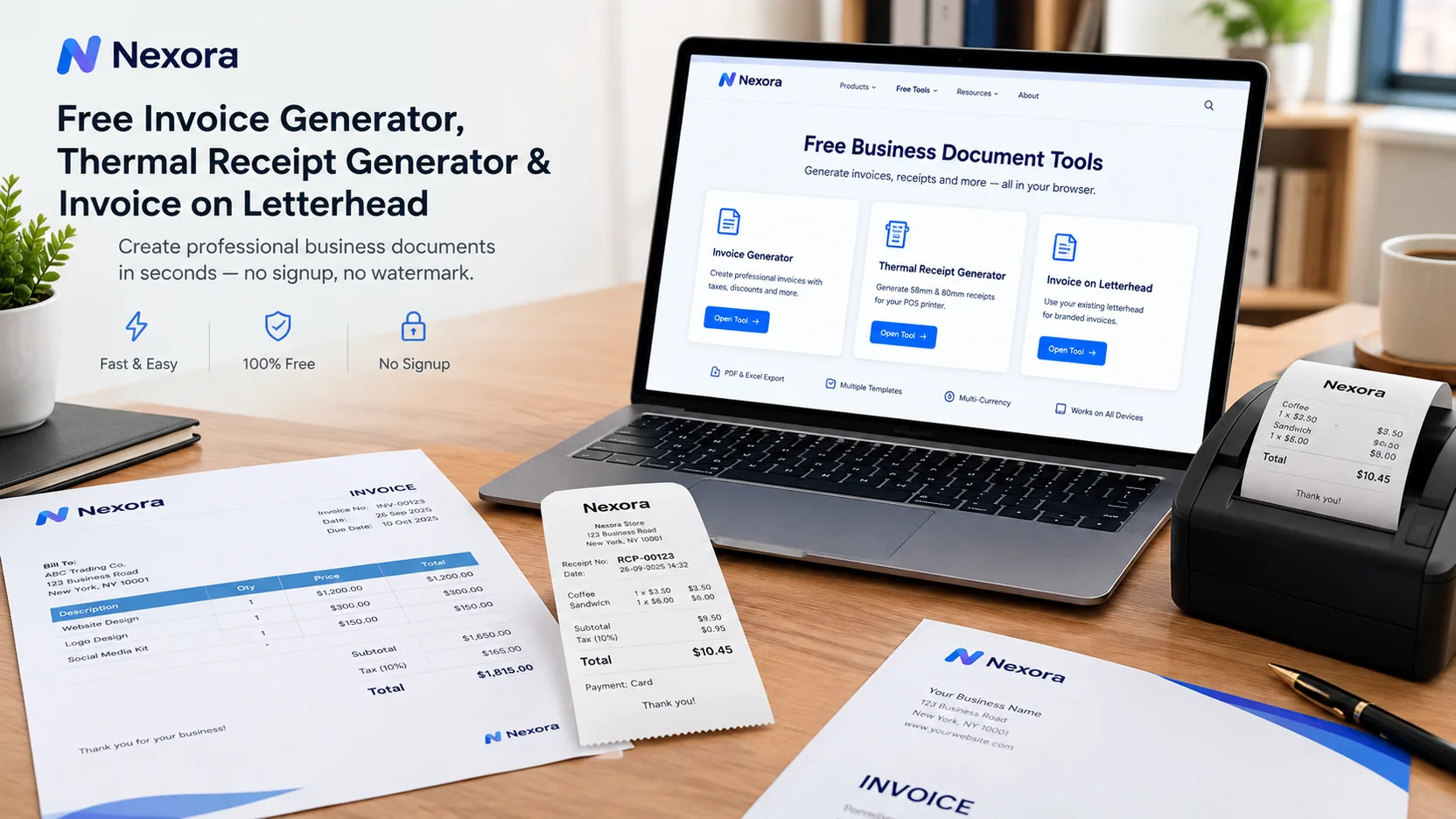
Need a professional invoice or receipt without signing up for software? Nexora offers free browser-based business tools for invoices, thermal receipts and invoices on your own letterhead.
Free Invoice Generator, Thermal Receipt Generator & Invoice on Letterhead
Running a small business often means creating documents that need to be accurate, professional and ready to print. An invoice may need taxes, discounts, payment terms and a clear total. A shop may need a narrow 58mm or 80mm receipt for a thermal printer. A company may already have branded stationery and simply want an invoice that fits inside its existing letterhead.
For these everyday jobs, a browser-based document generator can be faster than opening a word processor and rebuilding the same document every time.
Nexora offers a collection of free business document tools designed around this workflow. Its free tools include an invoice generator, a thermal receipt generator, a quotation generator and an invoice-on-letterhead tool. The tools work in the browser without account creation, and Nexora states that the document data is stored on the user's device rather than uploaded to its servers.
What Is a Free Invoice Generator?
A free invoice generator is an online tool that helps a business create a structured invoice without building a template from scratch.
A useful invoice normally contains the business details, customer information, invoice number, issue date, due date, products or services, quantities, prices, taxes, discounts and final amount.
Nexora's Free Invoice Generator is designed around a three-step process. First, you add your business information. Second, you add the customer and line items. Third, you choose the document design and paper size before creating the invoice. The tool supports PDF and Excel output, printing, WhatsApp and email sharing, and more than 160 currencies.
This type of workflow can be useful for freelancers, consultants, contractors, retailers, service providers and small businesses that need an invoice quickly without installing accounting software.
How to Create a Free Invoice Online
Creating an invoice with a browser-based generator is usually straightforward.
- Add your business information
Start with your legal or trading business name and contact details. Depending on your country and tax situation, you may also need a VAT, GST or sales-tax number.
Nexora allows business information and a logo or letterhead to be saved on the device so it can be reused on future invoices.
- Add the customer and items
Enter the customer's information and add each product or service as a separate line.
You can enter quantities and prices and apply taxes, discounts or shipping where required. Nexora's invoice tool updates totals as the information is entered.
- Choose the layout
The invoice generator offers several page designs and supports A4 and US Letter layouts. You can then create the final document and choose the output you need.
The result can be downloaded as a PDF or Excel workbook, printed or shared digitally.
Free Invoice Generator for Freelancers and Small Businesses
Freelancers often need invoices without the complexity of a full accounting platform.
A simple online invoice maker can be useful when you have completed a project and need to send a professional payment request quickly. The same idea applies to consultants, designers, developers, repair businesses, contractors and other service providers.
Long-tail searches such as "free invoice generator for freelancers" and "free invoice maker no signup" are particularly relevant because they describe a specific need rather than simply searching for the broad term "invoice."
The broader SEO research around invoice-generator topics also shows why specific search intent matters: users searching for a particular workflow are generally easier to match with focused content than users searching for a generic software category.
Free Invoice Generator Without Signup
One of the biggest advantages of a browser-based tool is reduced setup.
Nexora's free tools do not require users to create an account before starting. The site also states that the free documents have no watermark. Its tools use local browser storage for business information and documents rather than requiring a server-side account.
This can be useful when you need to create a one-time invoice or want a quick document without committing to a larger accounting application.
There is also an important trade-off with local storage: documents are saved on the device and browser being used. They do not automatically follow you to another device. Nexora provides an export/import backup option for moving saved document data.
What Is a Thermal Receipt Generator?
A thermal receipt generator creates a receipt formatted for narrow receipt paper used by POS and receipt printers.
Unlike an A4 invoice, a thermal receipt is usually designed for a roll such as 58mm or 80mm wide. The layout needs to be compact because the available printing area is much narrower.
Nexora's Thermal Receipt Generator supports both 58mm and 80mm receipt widths and is designed to print directly through the browser's normal print dialog. It can include business information, items, quantities, taxes, payment details and a logo, and it can also save a PDF copy.
Free 58mm and 80mm Receipt Generator
Choosing the correct paper width is important.
A 58mm roll has less horizontal space, so longer product names may wrap onto another line. An 80mm roll gives more room for item descriptions, tax information and larger branding.
Nexora's tool provides separate 58mm and 80mm layouts. The site recommends matching the setting in the generator to the actual roll installed in the receipt printer.
For businesses using Bluetooth, handheld or countertop receipt printers, this can be more practical than creating a normal A4 document and trying to adjust it manually.
What Should a POS Receipt Include?
A professional receipt should make it clear what was sold, when it was sold and how much was paid.
Common information includes:
Business name and contact details
Receipt number and date
Products or services sold
Quantity and price
Applicable taxes
Total amount
Payment method
Optional footer information such as a return policy or thank-you message
Nexora's thermal receipt tool includes fields for these common receipt requirements and supports tax calculations and payment information.
Businesses should still check local tax and receipt requirements because documentation rules vary by country and business type.
Invoice vs Receipt: What Is the Difference?
An invoice and a receipt are related, but they serve different purposes.
An invoice normally asks the customer to pay. It can include a due date and payment terms when the customer will pay later.
A receipt confirms that payment has already been received.
For example, a freelancer who finishes a project and sends a customer a payment request would normally issue an invoice. A retail customer who pays immediately at the counter would normally receive a receipt.
Nexora connects these workflows within its document editor, allowing an invoice to be converted into a receipt after payment.
Invoice on Letterhead: Use Your Existing Branding
Some businesses already have an official company letterhead created by a designer, printer or branding agency.
In that case, creating a completely new invoice design is unnecessary. What you need is an invoice that fits correctly inside the existing letterhead.
Nexora's Invoice on Letterhead tool lets users upload an existing letterhead as PNG, JPG, PDF or WebP, define the safe area between the header and footer, and place the invoice content inside that space.
This is particularly useful for businesses that want invoices to match their existing stationery.
How to Create an Invoice on Your Letterhead
The process has four main stages.
First, upload the letterhead file.
Next, define the safe area so the invoice does not overlap the existing logo, address section or footer.
Then add the client, items, taxes and discounts.
Finally, choose the letterhead version of the invoice design and download or print the document.
The tool supports A4 and US Letter documents and can work with letterheads supplied as PDF files. For PDF letterheads, Nexora states that the original PDF page can be used underneath the invoice when generating the final document.
Looking for a Free Letterhead Generator?
There is an important difference between a letterhead designer and an invoice-on-letterhead tool.
A letterhead designer helps you create the stationery itself, including the logo, business name, colours, contact details and page design.
Nexora's verified tool currently focuses on the next step: using a letterhead you already have and fitting an invoice inside it. This makes it useful for companies that already own branded stationery but need a faster way to create matching invoices.
If you are searching specifically for a "free letterhead generator," this distinction matters. A tool should not claim to create a new letterhead when it actually formats another document on an existing one.
Why Use Browser-Based Business Document Tools?
For many small businesses, the main benefit is speed.
Instead of opening a document editor, adjusting tables, calculating totals manually and exporting a file, a specialized generator can handle the document structure automatically.
There are also workflow advantages.
A dedicated invoice generator can calculate totals and taxes.
A thermal receipt generator can format the document for narrow paper.
An invoice-on-letterhead tool can protect the branded header and footer area.
Nexora's tools are built around these specific use cases rather than treating every business document as a generic blank page.
When a Free Generator Is Enough — and When You Need POS Software
Free generators are useful for creating individual documents.
They are not necessarily a replacement for full business management software.
A business that needs inventory tracking, cashier sessions, customer databases, daily sales reports, multi-user access and connected operations will usually need a POS or business management system rather than a document generator.
Nexora itself distinguishes its free browser tools from its larger business software platform. The free tools focus on individual business documents, while the paid platform provides broader POS, CRM and ERP capabilities.
Frequently Asked Questions
Are Nexora free business tools really free?
Nexora states that its free business tools have no trial period, no paid tier for the tools and no watermark on generated documents.
Is my invoice data uploaded to Nexora?
Nexora states that the free tools process and store document data locally in the browser on the device being used.
Can I use the free invoice generator on mobile?
Yes. Nexora states that its editor adapts to small screens, although printing depends on the phone, browser and available printer connection.
Are free generated invoices valid for tax purposes everywhere?
Tax and invoicing requirements vary by country and business type. The tool provides common fields, but businesses should verify local legal and tax requirements before relying on an invoice for compliance.
Related Articles
- Free Invoice Generator for Small Businesses in the USA: How to Create a Professional Invoice — 1 min read
- Free Invoice Generator USA | Create Free Invoices Online — 1 min read
- How to Create an Invoice Without Accounting Software — Free Invoice Generator for Freelancers — 1 min read
- Free Invoice Generator Canada: A Practical Guide for Freelancers and Small Businesses — 1 min read