How to Create an Invoice in the USA: A Small Business Guide
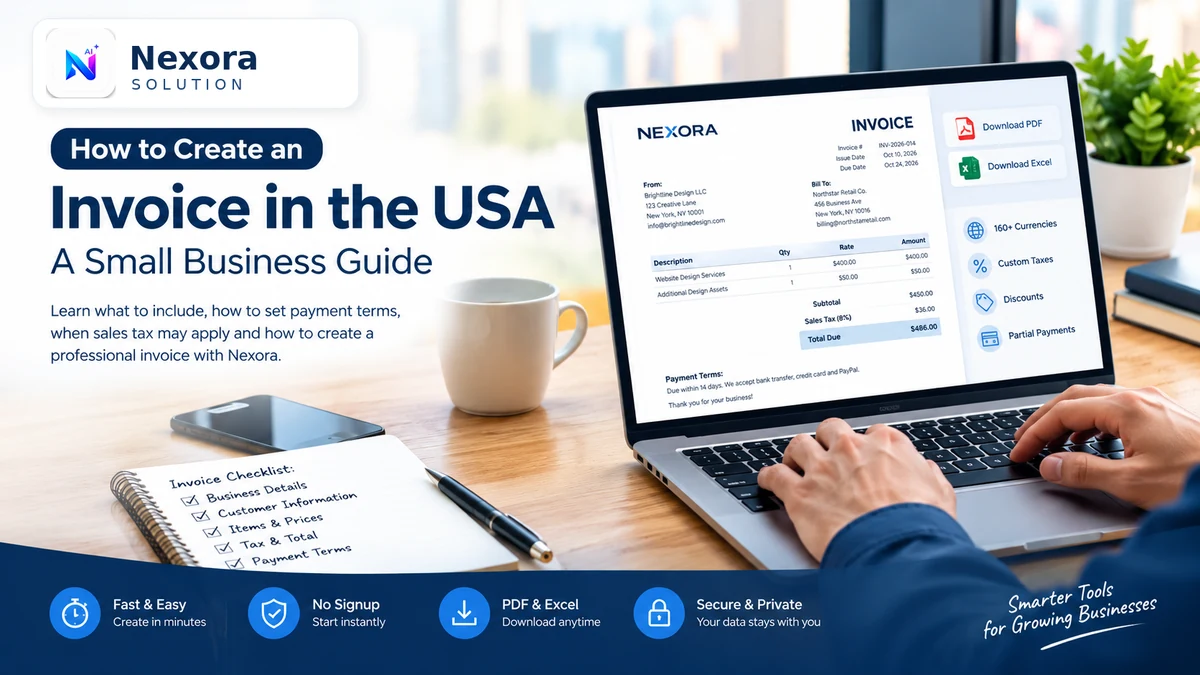
Need to invoice a US customer? Learn what a professional small business invoice should include, how to set payment terms, when sales tax may apply and how to create a downloadable invoice using Nexora's free invoice generator.
How to Create an Invoice in the USA: A Small Business Guide
Creating a professional invoice should not take more time than the work you are billing for. Whether you are a freelancer, independent contractor, consultant or small business owner, a clear invoice helps customers understand what they owe, when payment is due and how to pay.
With a free invoice generator, you can prepare an invoice online, calculate line totals and applicable taxes, and download a professional document without building a template from scratch.
Nexora's Free Invoice Generator (https://nexorasolution.online/tools/invoice-generator/) lets you create invoices in your browser, download PDF or Excel files, choose US Letter paper size and start without creating an account.
What Is an Invoice?
An invoice is a document a seller sends to a customer to request payment for products or services. It records what was supplied, how much it costs and the payment terms.
For example, a freelance designer might invoice a client after completing a website project. A contractor might invoice for labor and materials, while a consulting business might bill for a specific number of hours.
Invoices also help businesses maintain organized financial records. The IRS identifies invoices, sales slips and receipts among the supporting documents businesses use to record transactions and support their tax returns.
What Should a US Small Business Invoice Include?
A professional invoice should give the customer enough information to understand the charge and process payment without unnecessary follow-up.
1. Business and Customer Information
Include your business or trading name, business contact information and the customer's name or company details. Use the customer's correct billing information to avoid administrative delays.
2. A Unique Invoice Number
Assign each invoice a unique reference, such as INV-2026-001. A consistent numbering system makes it easier to locate invoices, track payments and maintain bookkeeping records.
3. Invoice Date and Payment Due Date
Show when the invoice was issued and when payment is expected. If payment is due within 14 days, for example, include a clear due date.
4. Products or Services Provided
Describe each item or service separately. Where appropriate, show quantities, hourly rates, unit prices and line totals.
Instead of writing only “Consulting,” a more useful description might be “Website performance consultation — 3 hours.”
5. Subtotal, Applicable Taxes and Total
Display the subtotal, any applicable sales tax or other charges, discounts and the final amount due.
Make sure the tax treatment is appropriate for your business and transaction. Do not automatically add sales tax to every invoice.
6. Payment Terms and Instructions
Explain when payment is due and how the customer can pay. Include the payment methods or instructions relevant to your business.
Common terms include “Due on receipt,” “Net 15” and “Net 30.” Only use payment terms that you and your customer have agreed upon.
How to Create an Invoice in the USA in Five Steps
Step 1: Enter Your Business Details
Open the Nexora Free Invoice Generator (https://nexorasolution.online/tools/invoice-generator/). Add your business name, contact information and any other details relevant to your transaction.
You can also add a logo or use your own letterhead where appropriate.
Step 2: Add Your Customer's Information
Enter the customer's billing details. Review spelling and addresses before preparing the final document.
For repeat customers, keep your records organized so you can work more efficiently on future invoices.
Step 3: Add Products, Services and Prices
Enter each product or service as a separate line item. Add quantities and prices, and apply discounts, shipping charges or taxes where applicable.
Nexora calculates invoice totals as you update the entries, helping reduce errors from manual calculations.
Step 4: Review the Invoice Layout
Choose a suitable design and select US Letter paper size if that fits your customer's workflow. Check the invoice number, dates, item descriptions, payment terms and total amount before finalizing it.
A simple, readable layout is usually more useful than unnecessary decorative elements.
Step 5: Download and Send the Invoice
Create the invoice and download it as a PDF or Excel workbook. You can also print or share it through supported options in the tool.
A PDF is convenient for sending a finalized document to a customer. An Excel workbook may be useful when you want a spreadsheet format for reviewing amounts or organizing your records.
Sample Invoice for a US Small Business
Here is a simplified example of how a service invoice could be organized.
| Invoice Detail | Example |
|---|---|
| Business | Brightline Design LLC |
| Customer | Northstar Retail Co. |
| Invoice Number | INV-2026-014 |
| Invoice Date | October 10, 2026 |
| Payment Due | October 24, 2026 |
| Website design services | $400.00 |
| Additional design assets | $50.00 |
| Subtotal | $450.00 |
| Applicable sales tax | Determine based on the transaction |
| Total Due | $450.00 before any applicable tax |
This is an illustrative example, not a universal tax-compliant invoice. The final amount must reflect any applicable taxes, discounts and agreed charges.
Do US Invoices Need Sales Tax?
Sales tax rules in the United States depend on the state and local jurisdiction, the type of product or service, and whether the seller has the relevant tax collection obligations.
Some sales are taxable while others may be exempt. Services can also receive different tax treatment in different jurisdictions.
Before adding sales tax, check the rules that apply to your business and transaction. Do not assume that every invoice requires the same tax rate or that every service is taxable.
The IRS also provides guidance on maintaining business records. See the IRS guide to recordkeeping (https://www.irs.gov/businesses/small-businesses-self-employed/recordkeeping) and Publication 583: Starting a Business and Keeping Records (https://www.irs.gov/publications/p583).
This article provides general information, not tax or legal advice.
How to Choose a Free Invoice Generator
Not every invoice tool works the same way. Before choosing one, consider the features you actually need.
- No signup requirement: Useful when you need to create an invoice quickly without registering for an account.
- PDF and Excel downloads: PDF works well for sharing a finalized invoice, while Excel can help with spreadsheet-based workflows.
- Automatic calculations: Line totals, discounts and applicable taxes should be calculated consistently.
- Currency and paper-size options: Choose a tool that supports your preferred currency and a suitable page layout, such as US Letter.
- Privacy and storage: Understand where invoice details are stored and whether documents synchronize between devices.
- No unwanted watermark: Check the final output before sending it to a customer.
Nexora's online invoice generator (https://nexorasolution.online/tools/invoice-generator/) offers PDF and Excel export, multiple currencies, customizable tax entries, discounts and partial-payment tracking. It runs in the browser without account registration, and documents are stored locally on the device rather than uploaded to Nexora's servers.
Because local storage is device- and browser-specific, it is important to keep your own backups and understand that saved documents will not automatically synchronize to another device.
Common Invoice Mistakes to Avoid
Even a well-designed invoice can cause delays if key details are missing. Before sending it, check for these common problems:
- Incorrect customer details or invoice numbers.
- Missing service descriptions or unclear quantities.
- Confusing issue dates and payment due dates.
- Incorrect totals, discounts or tax calculations.
- Payment instructions that are missing or outdated.
- No organized copy for your own business records.
A short review before sending can prevent avoidable questions and make your billing process more professional.
Create a Professional Invoice with Nexora
You do not need to build a new document in a word processor every time a customer needs to pay. The right invoice workflow helps you prepare clear payment requests, calculate totals and maintain better business records.
Nexora's free invoice generator is designed for freelancers, contractors, consultants and small businesses that need downloadable invoices without creating an account.
Create your invoice with Nexora Free Invoice Generator (https://nexorasolution.online/tools/invoice-generator/).
Start with your business details, add the customer and line items, review the totals and download the document in the format you need.
Frequently Asked Questions
Can I create an invoice for free in the USA?
Yes. Nexora provides a free online invoice generator that allows you to prepare invoices and download PDF or Excel files without creating an account.
What is the best format for sending an invoice?
PDF is often convenient for sharing a finalized invoice because it preserves the document layout. Excel can be helpful when you need a spreadsheet version for reviewing or organizing amounts.
Does every US invoice require sales tax?
No single tax treatment applies to every transaction. Sales tax obligations depend on the relevant jurisdiction, the goods or services sold and the seller's tax obligations.
Can freelancers use a free invoice generator?
Yes. Freelancers can use invoice generators to bill clients for completed projects, consulting hours, design work, development services and other agreed work.
Can I create an invoice without signing up?
Yes. Nexora's Free Invoice Generator can be used without account registration. The documents are stored locally in the browser on the device you use.
What is the difference between an invoice and a receipt?
An invoice normally requests payment for goods or services. A receipt generally confirms that payment has already been received.
Should I keep copies of my invoices?
Yes. Organized invoice and transaction records can support bookkeeping and tax reporting. Consult IRS guidance and applicable requirements to determine the records your business should maintain.
Frequently Asked Questions
Can I create an invoice for free in the USA?
Yes. Nexora's free invoice generator lets you create invoices online and download them as PDF or Excel files without creating an account.
What should a US small business invoice include?
A professional invoice should include business and customer details, a unique invoice number, invoice date, payment due date, itemized products or services, subtotal, applicable taxes, total amount due and payment terms.
Do US invoices need sales tax?
Sales tax requirements depend on the state, local jurisdiction, type of product or service and the seller's tax obligations. Check the applicable rules before adding tax to an invoice.
Can I create an invoice without signing up?
Yes. Nexora's online invoice generator works without account registration, allowing you to prepare invoices and download them directly from your browser.
Related Articles
- Free Invoice Generator USA | Create Free Invoices Online — 1 min read
- Free Invoice Generator for Small Businesses in the USA: How to Create a Professional Invoice — 1 min read
- Free Invoice Generator, Thermal Receipt Generator & Invoice on Letterhead — Nexora Free Business Tools — 1 min read
- Small Business Software Stack in Pakistan: What to Use First — 1 min read