Nexora AI Menu Management – Upload Restaurant Menu in 1 Minute
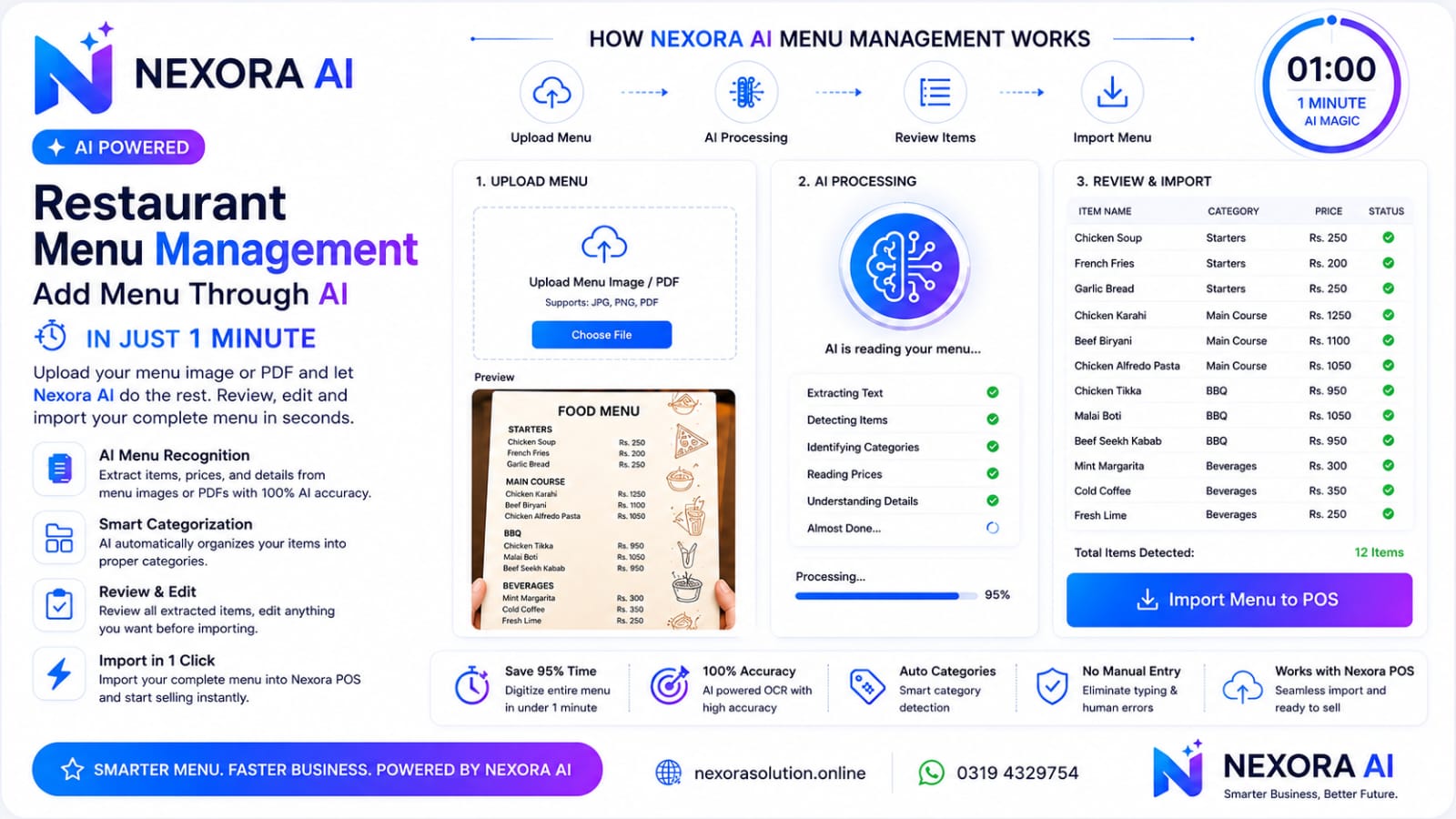
Upload your menu image or PDF and let Nexora AI instantly convert it into a structured digital menu. No manual typing. No spreadsheets. Just upload, review, and publish.s
Restaurant Menu Management Powered by Nexora AI
Nexora AI uses advanced OCR and artificial intelligence to read restaurant menus from images or PDFs. It automatically detects menu items, prices, categories, descriptions, taxes, and availability, then prepares everything for one-click import into your Nexora POS.
Key Features
🍽 AI Menu Recognition
📷 OCR Image & PDF Scanner
🤖 Automatic Item Detection
💰 Smart Price Recognition
📂 Auto Category Creation
📝 AI Description Generator
🏷 Tax & Discount Detection
🌍 Multi-Language Support
⚡ Import Complete Menu in 1 Minute
✏ Review Before Import
🔄 Bulk Menu Update
📊 Works with Restaurant POS
How It Works
Step 1 – Upload Menu Image or PDF
Step 2 – Nexora AI scans the menu
Step 3 – OCR extracts all text
Step 4 – AI identifies menu items and prices
Step 5 – Categories are created automatically
Step 6 – Review extracted data
Step 7 – Import directly into Nexora POS
Why Choose Nexora AI?
Save 95% of menu setup time
Eliminate manual data entry
Improve accuracy with AI-powered OCR
Instantly digitize printed menus
Easily update large restaurant menus
Perfect for restaurants, cafés, bakeries, pizza shops, fast food, hotels, and cloud kitchens
Call to Action
Transform Your Restaurant Menu with Nexora AI
Upload → AI Scan → Review → Import → Start Selling
Digitize your complete restaurant menu in less than one minute with Nexora AI.
Related Articles
- AI-Powered POS Software: The Modern, Futuristic Way to Run Your Business in Pakistan — 1 min read
- Nexora AI Restaurant Reports – Pakistan's Next Generation AI-Powered Restaurant Analytics — 1 min read
- How AI Menu Recognition is Revolutionizing Restaurant POS Systems — 1 min read
- AI in Business Management Software: Practical Use Cases — 1 min read